

Never miss the research that matters
Let insight find you.
Meet Briefly — your personal AI research assistant. It finds, explains, and delivers the research that matters to your work, so you can stay confidently up to date without drowning in noise.
Get the app
In early access: The app is experimental, evolving quickly, and may shift as we learn. We’d love your feedback as we shape the future of research discovery together.


Summaries that save you hours
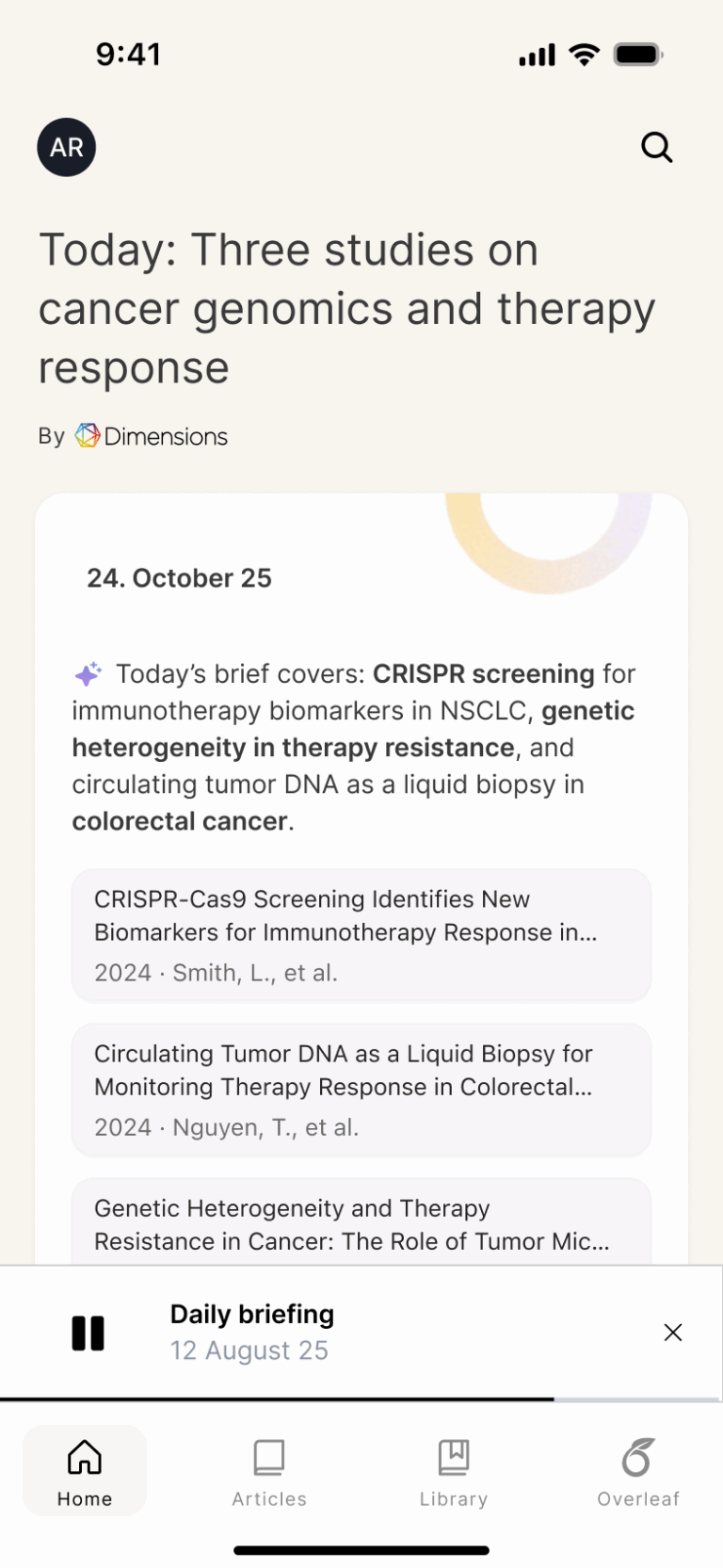
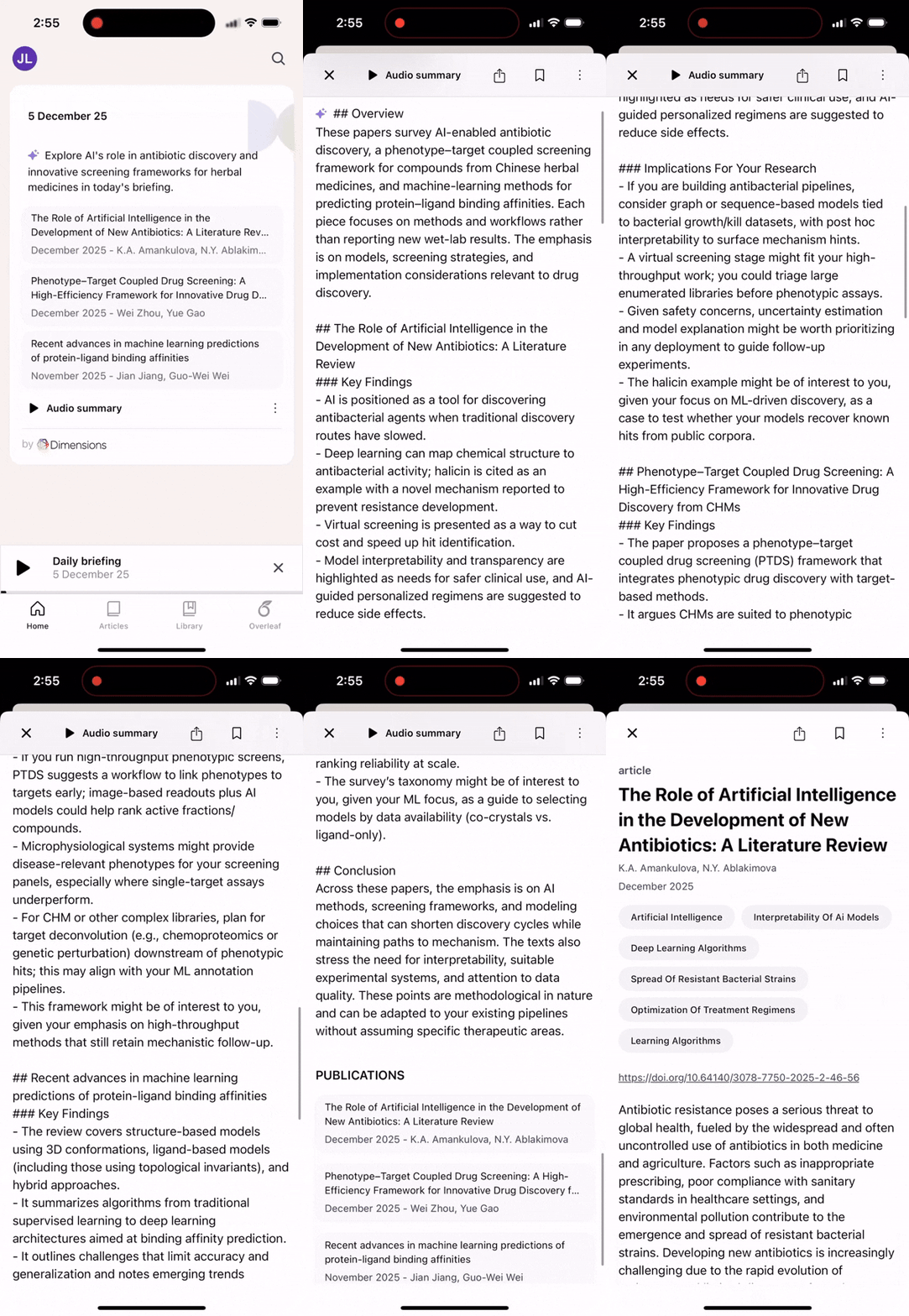
Tailored AI research briefs break down key papers and explain why they matter for your work. It’s like having a super-nerdy research friend who hands you the context you need. Crisp, clear, and immediately useful.
A feed that actually understands your field
Your personalized feed uses your tracked topics, Overleaf project themes, and journals and authors you choose to follow to surface the papers you actually care about. No more scrolling through overwhelming TOC alerts, just high-signal updates, tailored to you.
Stay informed, hands-free
Whether you’re commuting, cooking, walking, or procrastinating reviewer comments, daily audio explainers keep you effortlessly in the loop.

Dig deeper into your next idea
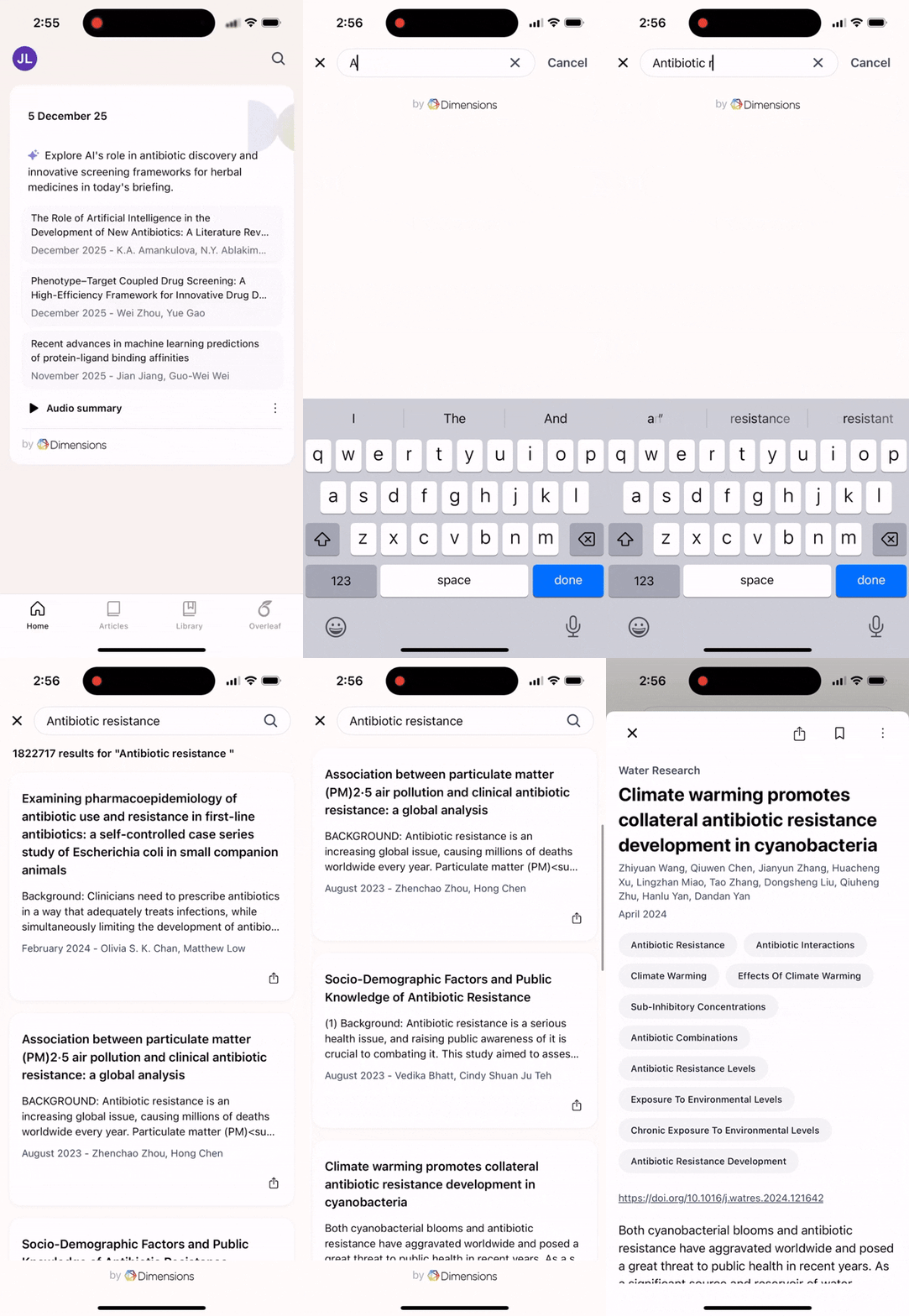
Integrated Dimensions search connects you to the world’s largest collection of interconnected research — perfect for scanning a new area or preparing for that “quick update” with your PI.
Your research life, organized
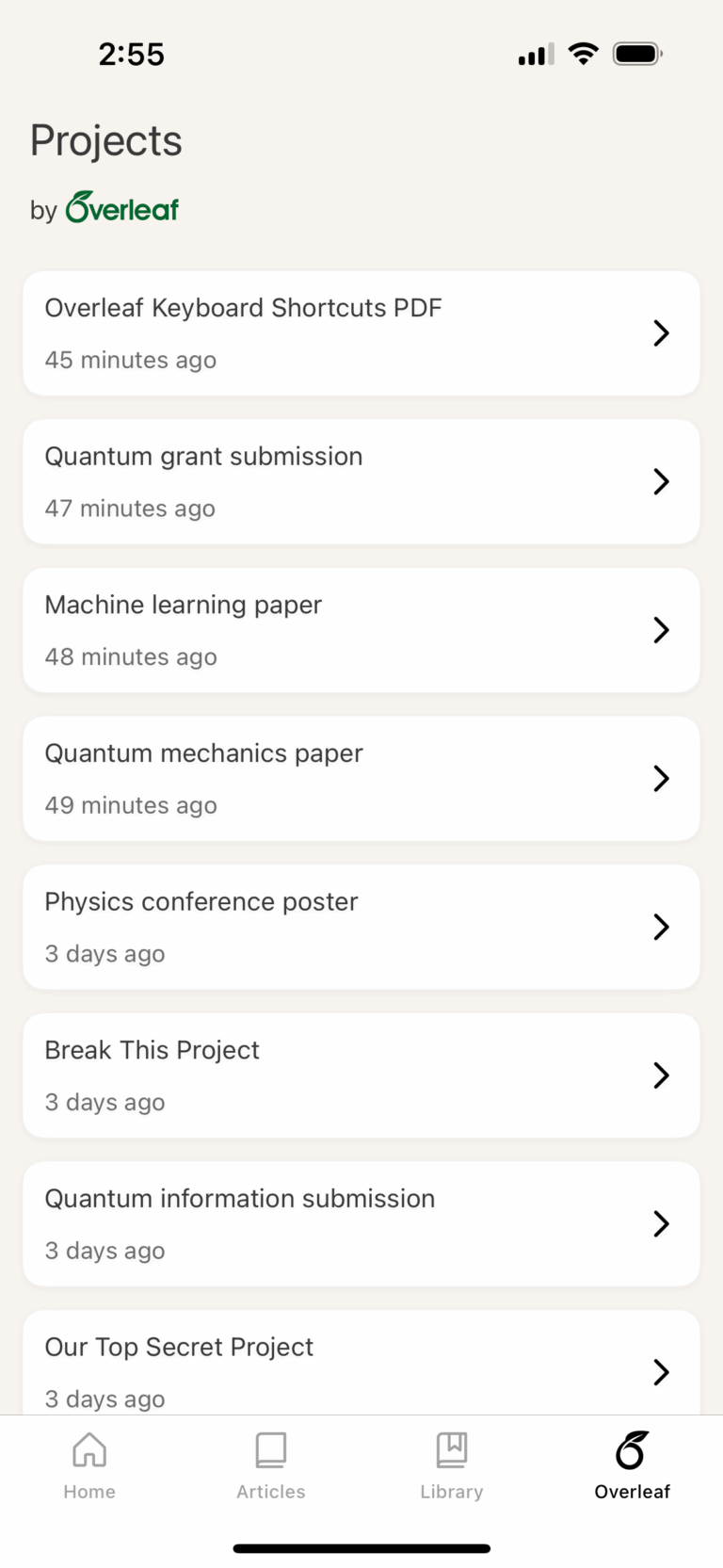
Access the latest PDFs of your Overleaf projects anywhere, anytime. See, respond to, and resolve comments right in the app. Handy for hallway chats, or those “can you send me that draft?” moments without firing up a whole project.
Less noise. More knowledge.
Briefly helps you stay effortlessly up to date, feel more confident in your field, and keep the important research at your fingertips. All without the overwhelm.
Help us build the future of research discovery
Briefly is in early access and evolving fast. Try it out, tell us what works (and what doesn’t), and help shape what comes next.

FAQ
How do I customize my brief topics?
You’ll be able to customize your brief topics during onboarding. There are two ways you can customize your brief topics:
- Extract from an existing source:
- Build manually: Search for topics to add, as broad or granular as you need.
You can always go back to your profile and add or remove topics to improve the relevance of your briefs. Nothing you enter during onboarding is used to train any AI model, and your inputs aren’t retained.
If I sign in with my Overleaf account, what information is shared with Briefly?
If you sign in to Briefly with your Overleaf account, it will temporarily share the content and chat messages of the last Overleaf project you edited to make topical recommendations. Nothing you enter during onboarding is used to train any AI model, and your inputs aren’t retained after onboarding, or made publicly available in any way. Briefly and Overleaf are both Digital Science products.
What data do you collect about me?
The app collects the profile, topic, and usage information needed to deliver personalized briefs and improve recommendations. We store your interactions with the app and papers you try to access to improve recommendation quality for your account. Full details about data collection, storage and use are available in the Privacy Notice and Terms & Conditions, which are presented during onboarding.
How does the app know which topics interest me?
You’re in control. During onboarding you can enter topics manually or import them from an institutional profile, a public URL, or ORCID. You can also sign in to Overleaf, and it will suggest topics based on the last Overleaf project you edited. Those topics are used to create a “smart profile” that matches new research to your interests.
Can I trust the briefs to accurately represent the research?
AI can make mistakes. Just like a person, AI can sometimes get things wrong. Fact check any information you want to use in your work. However, if you encounter a mistake, please verify against the original paper and report the issue via briefly@digital-science.com so we can investigate and improve future recommendations.
Can I share briefings with collaborators or students?
Yes — you can share text and audio briefings using the device’s native sharing options from the Briefing page, and what you share will maintain the same wording as your briefings.
Is there a web version? Is this app optimized for tablets?
Briefly is currently only optimized for mobile phones. Let us know if you’d like to see Briefly optimized for tablet usage or on the web.
Briefly notices
Briefly works a little bit differently, and has separate Privacy Notice and Terms & Conditions from Digital Science.